Open Graph and favicons: Better previews for shared links
· PoolByte Technology
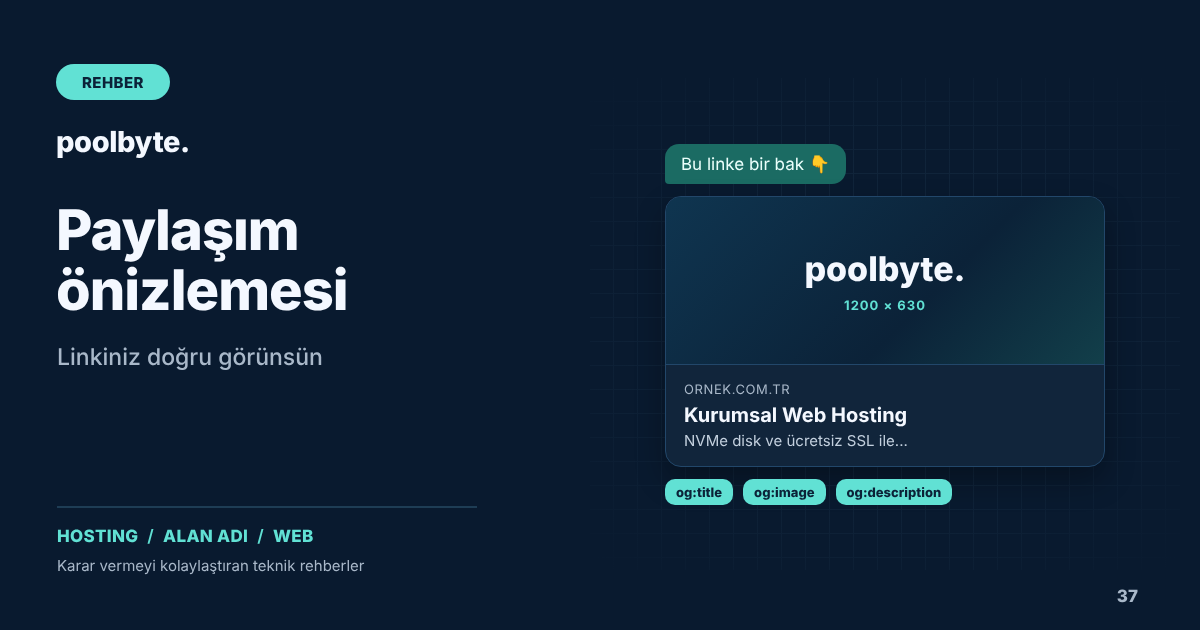
When a customer sends a product from your site to a friend on WhatsApp or shares a blog post on LinkedIn, a preview card appears in the message. This card includes a title, a short description, and an image. The proper appearance of the card increases the likelihood of the link being clicked; A preview with no visuals, the wrong title, or a broken one will make your brand look sloppy. You can control the contents of this card with Open Graph tags.
Open Graph tags determine share previews. The small icon that appears in the browser tab and search results is the favicon. In this article, we discuss how to set up both correctly.
Basic Open Graph tags
Open Graph is a meta tag standard that defines how the page will appear when shared. A few tags added to the <head> section of the page are sufficient for most platforms:
<meta property="og:type" content="website">
<meta property="og:title" content="Kurumsal Web Hosting Paketleri">
<meta property="og:description" content="NVMe disk, ücretsiz SSL ve günlük yedekle kurumsal hosting.">
<meta property="og:image" content="https://www.ornek.com.tr/paylasim/hosting.png">
<meta property="og:url" content="https://www.ornek.com.tr/web-hosting">
<meta property="og:site_name" content="Örnek">
<meta property="og:locale" content="tr_TR">
For blog posts, og:type might be article. When tags are not available, platforms try to guess the title, description, and first available image on the page; The result is often not what you want.
Prepare the sharing image carefully
The sharing image is the most striking part of the card. The commonly accepted size across platforms is 1200 x 630 pixels. Make sure the image has the following features:
- The address must be a full URL starting with
https://and must be publicly accessible. - Important text and logo should stay close to the center, away from the edges; some platforms crop the image.
- It should be large enough to be read on small screens and contain minimal text.
- File size should be kept reasonable; Very large images may cause the preview to not appear at all in some applications.
A general brand image may be sufficient for the homepage; However, using special visuals for each page on product, campaign and blog pages makes the posts much more meaningful. To keep images light, the steps in our image optimization guide apply here as well.
Card labels for X
X (formerly Twitter) can read some Open Graph tags; but uses a separate label to identify its card type. For a card with a large image, simply add this line:
<meta name="twitter:card" content="summary_large_image">If old preview appears due to cache
Platforms preview a link on the first share and store it for a while. When you change the image or title, the old preview may still appear. Facebook's Post Debugger and LinkedIn's Post Inspector tool let you proofread your page and see how tags are being detected. In WhatsApp, the preview usually refreshes automatically after a while.
Changing the name of the image file is also a practical way to bypass the cache; Use a new filename instead of replacing the contents of the file with the same name.
Add favicon according to Google's rules
The favicon appears next to your site name in the browser tab, bookmarks, and Google search results. According to Google's guidelines, the favicon must be square and at least 8 x 8 pixels in size; A file larger than 48 x 48 pixels is recommended to appear clearly on different surfaces. The file and the home page must be open to Google's crawling, and the favicon address must not change frequently.
<link rel="icon" href="/favicon.svg" type="image/svg+xml">
<link rel="icon" href="/favicon-48.png" sizes="48x48" type="image/png">
<link rel="apple-touch-icon" href="/apple-touch-icon.png">
Define a 180 x 180 pixel Apple touch icon for shortcuts added to the home screen on the phone, and 192 and 512 pixel icons in the manifest file for sites that work as applications. When you change the favicon, it may take a few days to a few weeks for Google to display the new icon.
Sharing tags on multilingual sites
If your site is available in multiple languages, each language version should have its own og:title and og:description values. You can specify the language of the page with og:locale, and other language versions with og:locale:alternate. We explained how to promote language versions to search engines in our multilingual site guide.
Frequently asked questions
I changed the image, but the old one still appears on WhatsApp, what should I do?
WhatsApp caches previews. The quickest solution is to upload the image with a new filename and update the og:image tag. Then try the link in a new chat.
Do I need a separate sharing image for each page?
It is not mandatory; For undefined pages, a generic brand image can be used. However, special images significantly increase the click-through rate on frequently shared product, campaign and blog pages.