Nameserver changes and DNS propagation: A controlled migration
· PoolByte
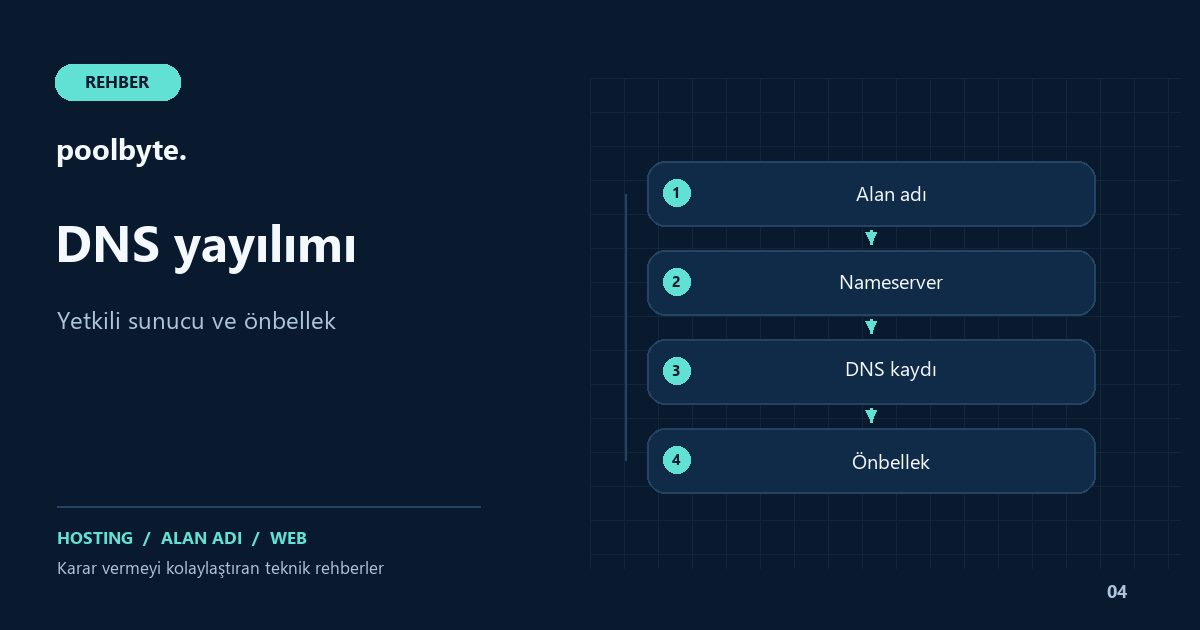
Nameserver change is an administrative process that determines which servers will answer your domain's DNS queries. It can be done along with a hosting move, but it is not necessary for every hosting change. You can continue to use the same DNS service while your site is moved to the new IP. Making this distinction up front prevents email and subdomains running on different servers from being accidentally affected.
Need a nameserver change or registry change?
First, write your goal in one sentence. If you say, "I will publish the web files on the new hosting account," it may be sufficient to update the web target in the existing DNS panel. If you say, "I will transfer all DNS management to the new service," nameserver change comes to the fore. Compare the new provider's setup description with this target.
The domain's main nameserver setting is usually made in the domain name management service. For domain names registered through a reseller, this screen can be found in the reseller panel. Changing the DNS server of a separately authorized subdomain is related to the NS records in the main DNS zone. Adding random NS to the registration screen on the panel does not change the authorization of the main domain in any case.
Inventory the current DNS zone
Do not copy record A alone before migration. Email, service authentication, and subdomains can also reside in the same region. A business' main site may be on a hosting account, its customer application may be on a separate server, and its email may be on a third service. Prepare the new DNS zone according to this actual order.
- Register web targets for the root domain and www.
- Examine A and AAAA records separately.
- Make a note of the MX records along with the address records of the mail destination.
- Store SPF, DKIM, DMARC and service verification TXT records.
- Specify subdomains and custom NS authorizations to the individual server.
An automatic scan can provide you with a starting list, but don't assume it finds all records. Compare the new region with the view in the old panel. Particularly rarely used subdomains or records kept only for verification may not be noticed when tested by opening the main site. For record types, you can refer to the DNS guide.
Understand the true role of TTL in DNS propagation
TTL refers to the amount of time the DNS response will be kept in the cache. When you make a record change, it is not expected that every visitor will see the new response at the same time. Some parsers use the old answer while new ones may take the current value. Separate checks include whether the authorized server responds correctly and all clients switch to the new response.
In a planned migration, lowering the TTL value of the relevant records in advance is considered. For example, a last-minute downgrade when the old TTL is long does not retroactively shorten the duration of previously held responses. Also, do not assume the TTL of the web A record and the cache behavior of the main nameserver authorization are the same. The exact time expectation of “A few minutes have passed, everyone should see” is therefore misleading.
If DNSSEC is available, plan the migration separately
For domain names using DNSSEC, the DS information in the registrar must be compatible with the signing scheme of the new DNS service. If old information is left, DNS validation errors may occur. However, the solution is not to permanently turn off the security feature in all cases; It is necessary to follow the migration method supported by the providers.
If the new service's documentation requires turning off and re-establishing DNSSEC in a specific order, read the steps beforehand. More advanced seamless migration methods also depend on vendor support. Instead of copying a DS value you are not sure about, ask technical support for a method. Note that DNSSEC and HTTPS are different layers: One deals with DNS validation, the other with web connectivity.
Make the change with sole responsibility and recorded steps
Set the maintenance interval and prevent more than one person from making changes to the panel at the same time. Record the old and new nameserver names, old DNS zone, switchover time, and fallback condition. Migrating the domain to a new nameserver when the new region is not ready may open the service that has not yet been established to visitors.
Enter the nameserver values in the exact format provided by the relevant provider. Do not randomly mix old and new servers; these servers must maintain the same region. The approach of “It will be safe if I leave one old and one new” may lead to different answers. After registration, re-check the authoritative DNS servers and web destinations.
Measure success across site, post and subdomains
While monitoring the spread, do not make decisions based on your own browser alone. Different networks and DNS resolvers may display different cache states. Adding the time, network used, and IP seen to the test result makes problem investigation easier. Browser cache, CDN cache and DNS cache are also not the same thing.
- Open the root address and the www address via HTTPS.
- Test login, contact form and critical actions.
- Verify actual mail flow by sending and receiving emails.
- Check the subdomains kept on separate server one by one.
- Evaluate whether the old server is still receiving traffic by examining its access.
Don't rush to shut down the old service until the new target is ready and the results of the migration have been verified. Retrieval can also be affected by caches; Changing the nameserver back does not immediately return all visitors. Hosting migration guide covers the file and database side separately.
When planning domain management and web hosting setup, clarify who will retain the DNS service. If the fallback method or DNSSEC steps are unclear, contact explaining the current pattern.
Frequently asked questions
Is it possible to say a fixed time for propagation?
It is not correct to give a single exact time for every domain name and network. Previous caches, authorization, and provider operations affect the results. Verify proxy response and user access separately.
Does clearing the computer's DNS cache affect everyone?
No. Local clearing only affects some caches on your own device. Old replies from other visitors and network analyzers are not affected.
Should I re-establish email if only the site IP is changing?
Not necessary in all cases. However, if the mail destination depends on the same name as the web destination, the change may affect it as well. Decide by checking the MX and target addresses together.